
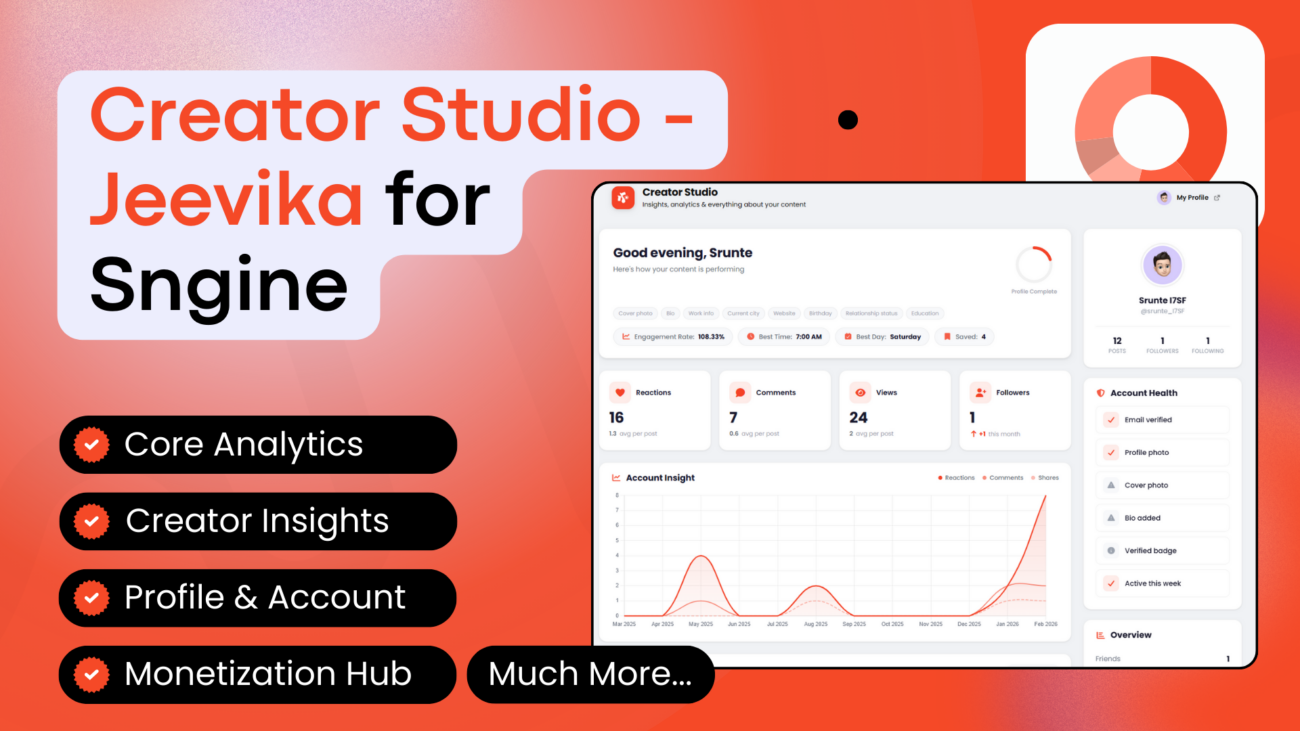
Jeevika is a powerful Creator Studio & Analytics Dashboard plugin for the users of Sngine-powered social networks. The plugin gives every logged-in user a comprehensive analytics hub featuring engagement insights, content performance breakdowns, monetization tracking, account health checks, and much more. Accessible directly in the user header menu.
Inspired by creator dashboards from major platforms, Jeevika equips your users with the tools to understand their presence and grow their audience — all without or creating new database tables.
Please Note:
- The plugin colors can be changed by the admin (explained in the installation video)
- This plugin doesn’t make any changes to the database, but it adds a slight code in 2 Sngine files explained below:
- .htaccess: In this file, 2 lines of code will be added for the /dashboard URL to work
- Content/themes/default/templates/_user_menu.tpl: Here, just a new user menu will be added so that users can access the Creator Studio from the header menu from any page on your site.
- So, if you have any other custom theme instead of the default, or if you’ve already made custom changes to the 2 files explained above, then please send us a ticket after purchase, and we’ll guide you.
- We also offer free installation with Extended license, not just once but every time you update Sngine until your support is active.
Features For Users
- Core Analytics
- Overview Stats: Total posts, friends, followers, following, reactions, comments, shares, and views at a glance
- Average Engagement Metrics: Reactions, comments, shares, and views per post
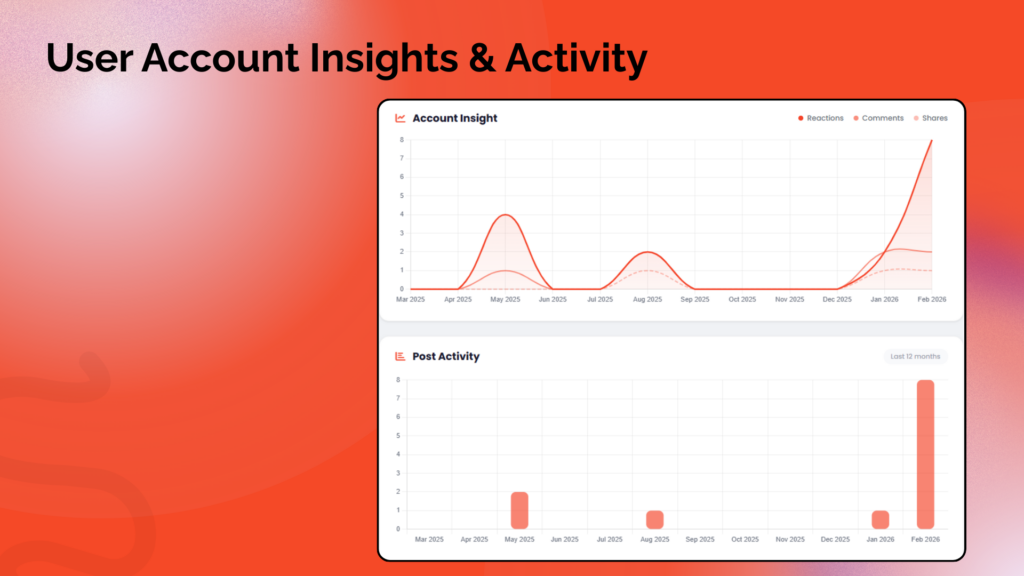
- Post Activity Chart: Bar chart showing posting frequency over the last 12 months
- Engagement Trends: Line chart with fill tracking reactions, comments, and shares over time
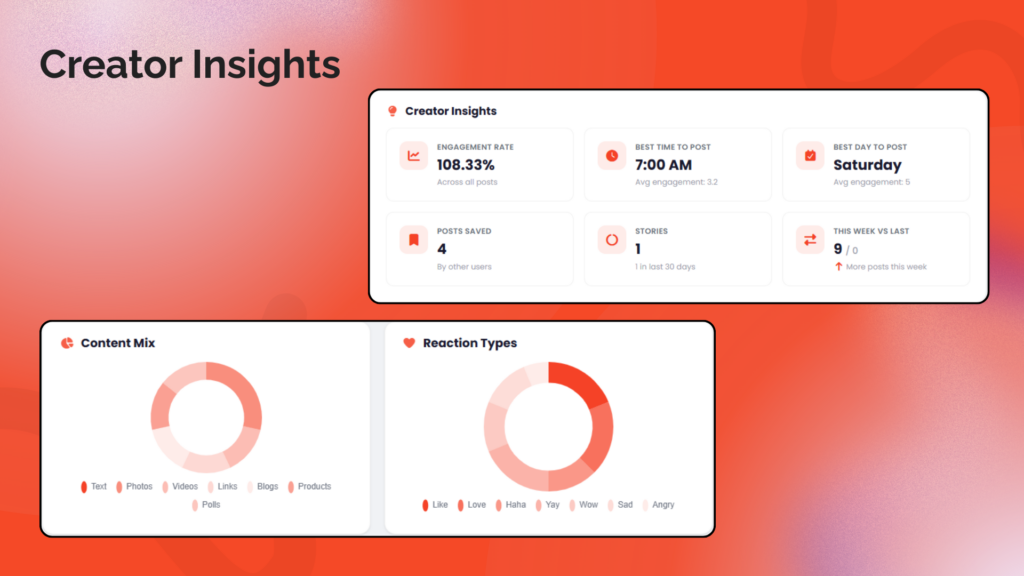
- Content Mix Chart: Doughnut chart showing distribution of post types (text, photos, videos, links, blogs, products, polls)
- Reactions Breakdown: Doughnut chart showing all reaction types (like, love, haha, yay, wow, sad, angry)
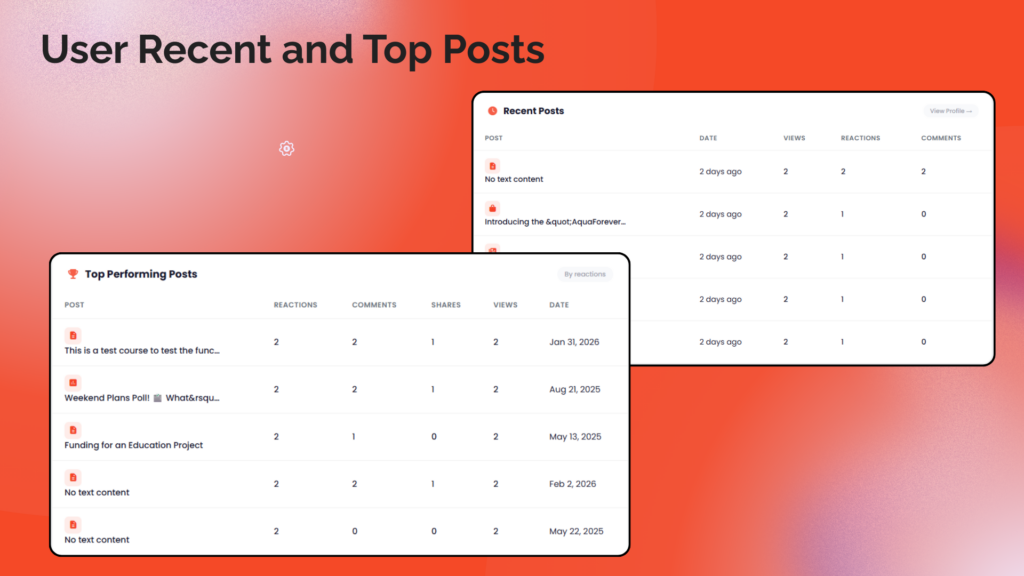
- Top Performing Posts: Table of the 5 best posts ranked by total reactions
- Recent Posts: Latest 5 posts with engagement stats and post type icons
2. Creator Insights (Enhanced)
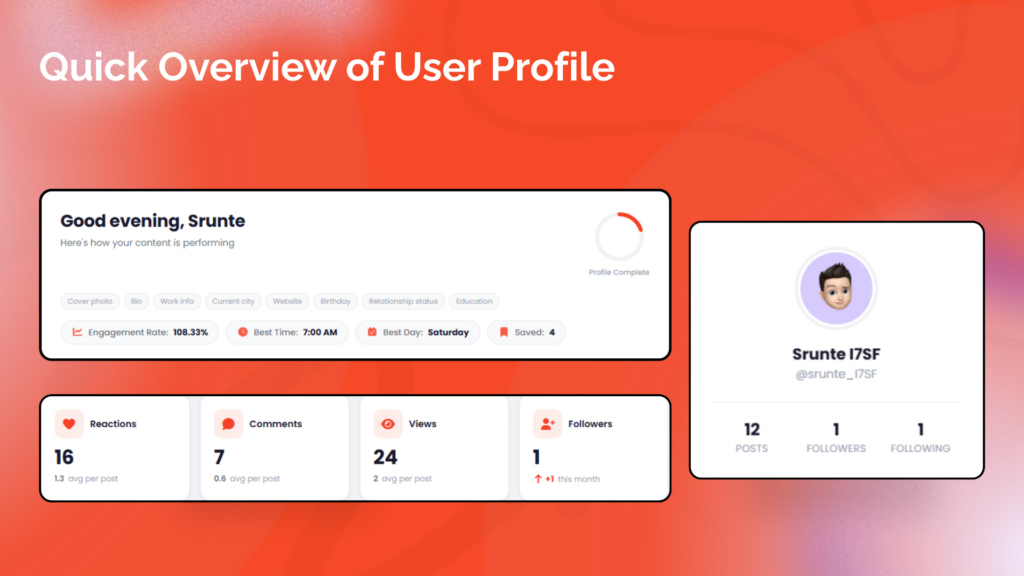
- Engagement Rate: Overall engagement percentage calculated as (reactions + comments + shares) / views
- Best Time to Post: Hour of day with highest average engagement
- Best Day to Post: Day of week with highest average engagement
- Posts Saved by Others: How many times other users bookmarked your posts
- Follower Growth: Last 30 days vs. previous 30 days with trend indicator
- Week-over-Week Comparison: This week vs. last week post count with trend arrows
- Stories Stats: Total stories and last 30 days count (if Stories are enabled)
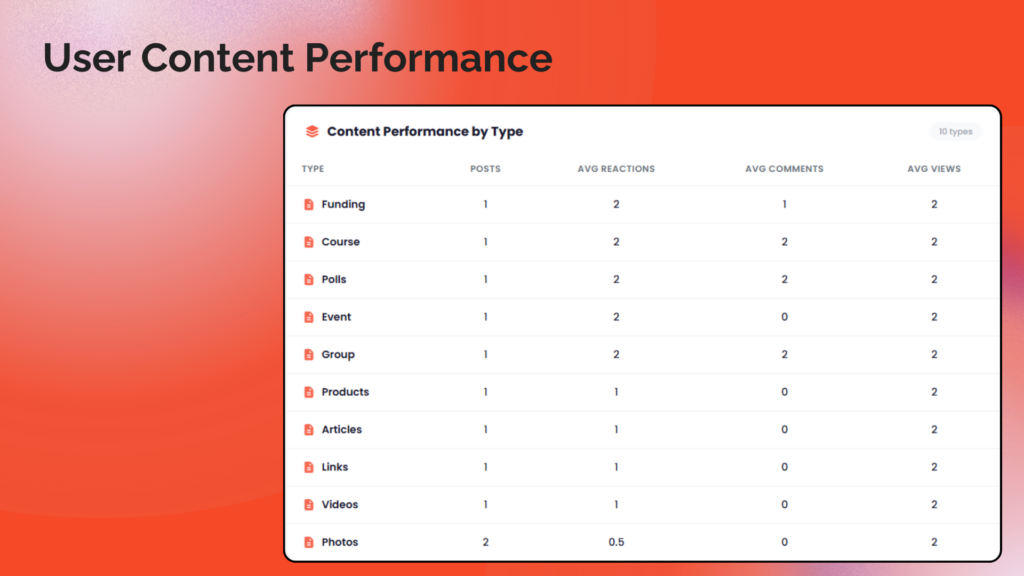
- Content Performance by Type: Table showing average reactions, comments, and views per content type
3. Profile & Account
- Header Menu Integration: “Creator Studio” link added to Sngine’s user dropdown menu with the studio icon for easy access from any page
- Time-based Greeting: Personalized “Good morning/afternoon/evening” with user’s first name
- Profile Completeness Ring: SVG ring showing profile completion percentage (0-100%) with missing items listed
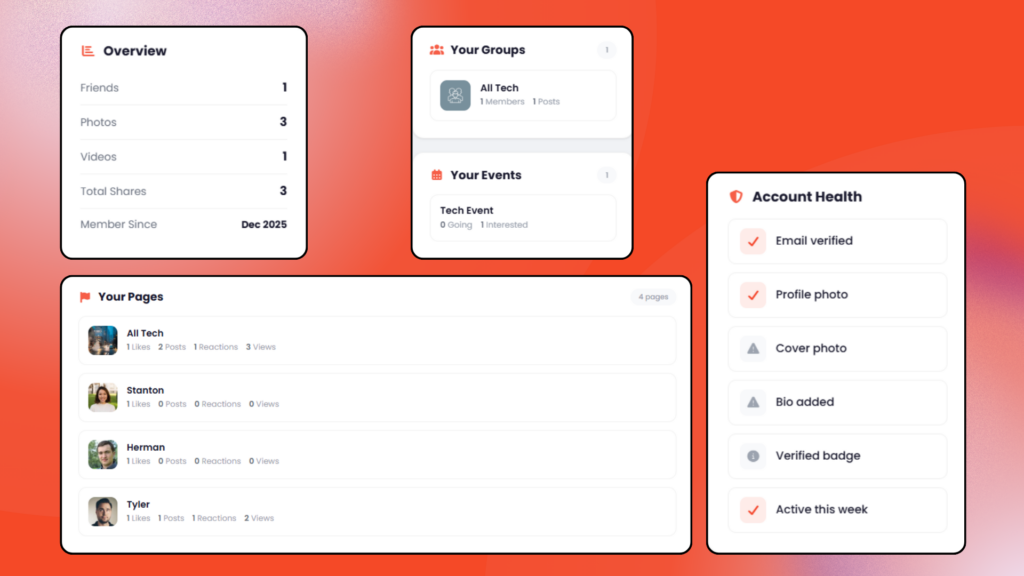
- Account Health Checks: Visual checklist for email verification, profile photo, cover photo, bio, verified badge, and recent activity
- Profile Sidebar Card: User avatar, name, username, and key stats (posts, followers, following)
4. Monetization Hub (Conditional)
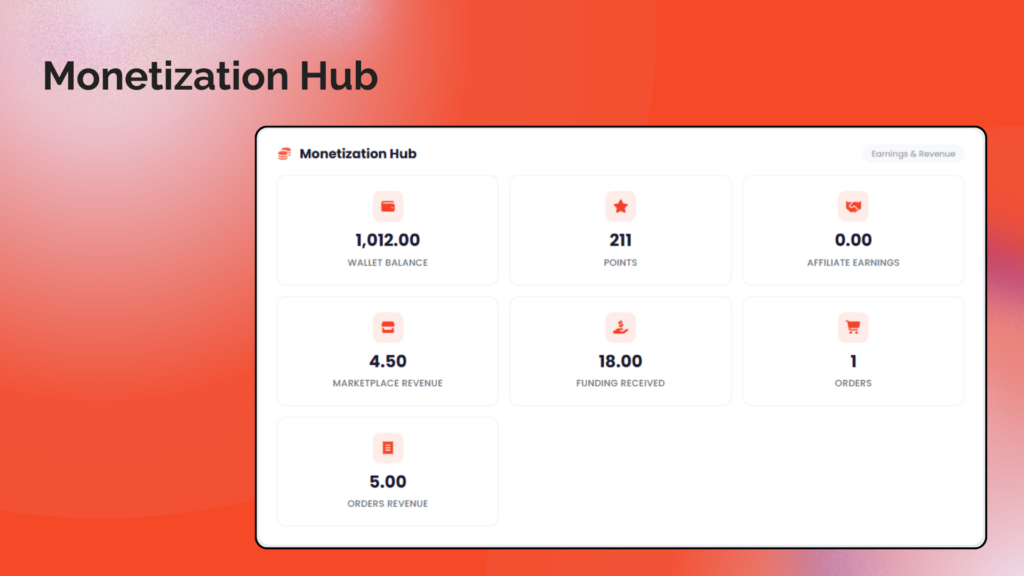
- Wallet Balance: Current wallet balance (if Wallet system is enabled)
- Points: User’s points balance (if Points system is enabled)
- Affiliate Earnings: Affiliate commission balance (if Affiliates system is enabled)
- Marketplace Revenue: Marketplace sales balance and order count (if Market is enabled)
- Funding Received: Total funding/donations received
- Subscribers Count: Number of paid subscribers (if Monetization is enabled)
- Referrals Count: Total affiliate referrals
- Orders Revenue: Total completed order revenue
5. Pages, Groups & Events
- Pages Analytics: For page admins: likes, posts, reactions, comments, and views per managed page
- Groups Analytics: For group admins: member and post counts per group
- Events Analytics: For event admins: going, interested, and post counts per event
- Smart Layout: Pages with 3 or fewer show in sidebar; more than 3 display in full-width main area
6. Sngine Admin Settings
- Color Mode Selection: Choose between “Auto” (from Sngine theme) or “Custom” color
- Custom Color Picker: Visual color picker with hex input for setting a custom primary color
- Live Preview: Real-time preview of how the selected color will look on dashboard elements
- Settings Persistence: Settings saved to `settings.json` file (no database required)
- Settings Page Admin-Only Access: Settings page restricted to administrators only with CSRF protection
7. Design & Compatibility
- Modern Card-Based Design: Clean, professional layout with cards, icons, and smooth hover effects
- Fully Responsive: Works on desktop, tablet, and mobile with adaptive grid breakpoints
- 100% Theme-Driven Colors: All icons, charts, badges, stat cards, and decorative elements derive their color from Sngine’s primary color or admin-configured custom color. Zero hardcoded decorative colors.
- Night Mode Support: Full dark mode support via CSS custom properties
- Chart.js v4: Charts use monochromatic shades of the primary color (CDN loaded, theme-aware tooltips)
- No Database Changes: Uses existing Sngine database tables only; settings stored in JSON file
Screenshots:
Link:
Note:
This is a third-party plugin developed by a different team and developer. As the Sngine team always encourages developers to add more and more features to our beloved Script “Sngine,” we welcome this plugin 

