
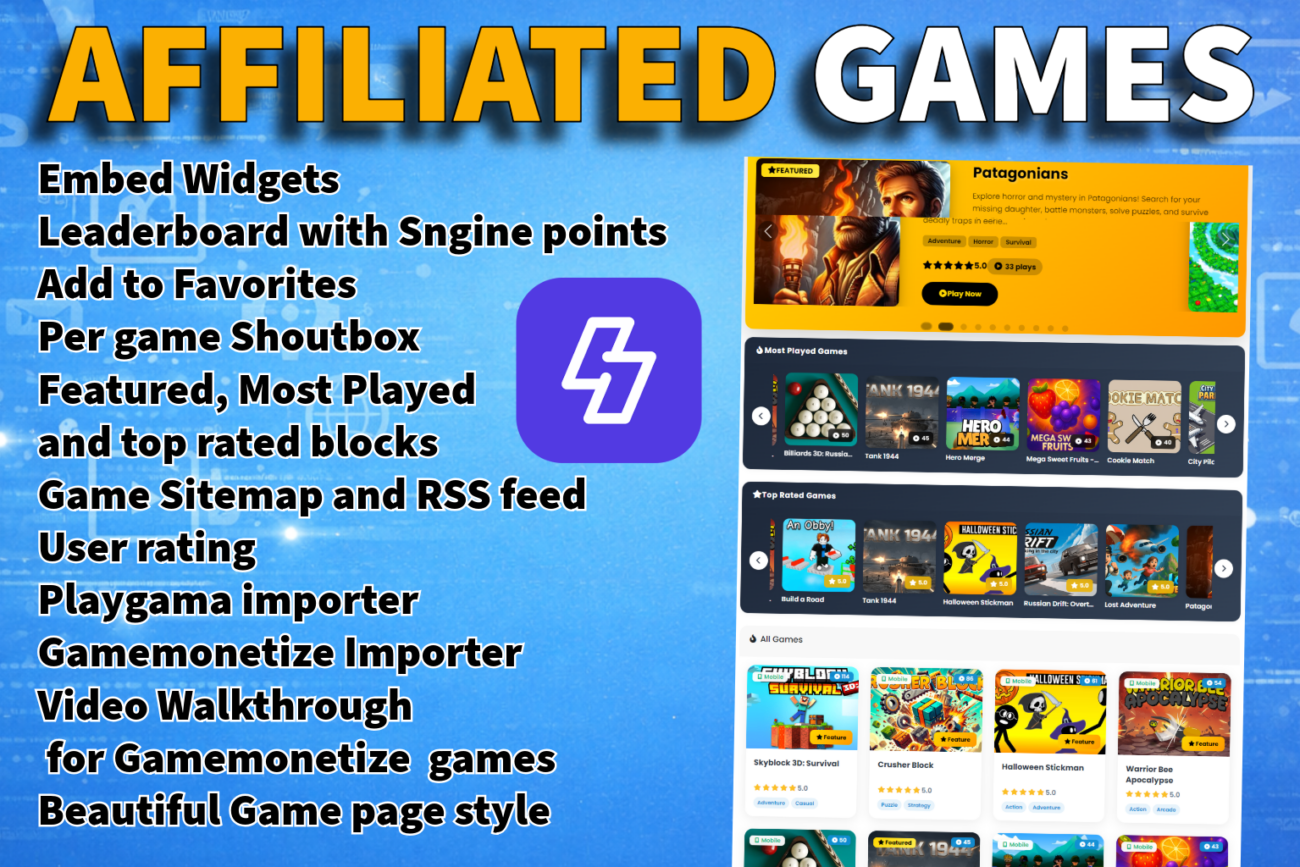
Transform Your Sngine Site into a Thriving Gaming Community!
The gaming addon that turns your Sngine social network into a gaming platform with automatic point rewards, leaderboards, admin-controlled featured games, and 1,035+ HTML5 games integrated with PlayGama and gamesmonentize for monetization.
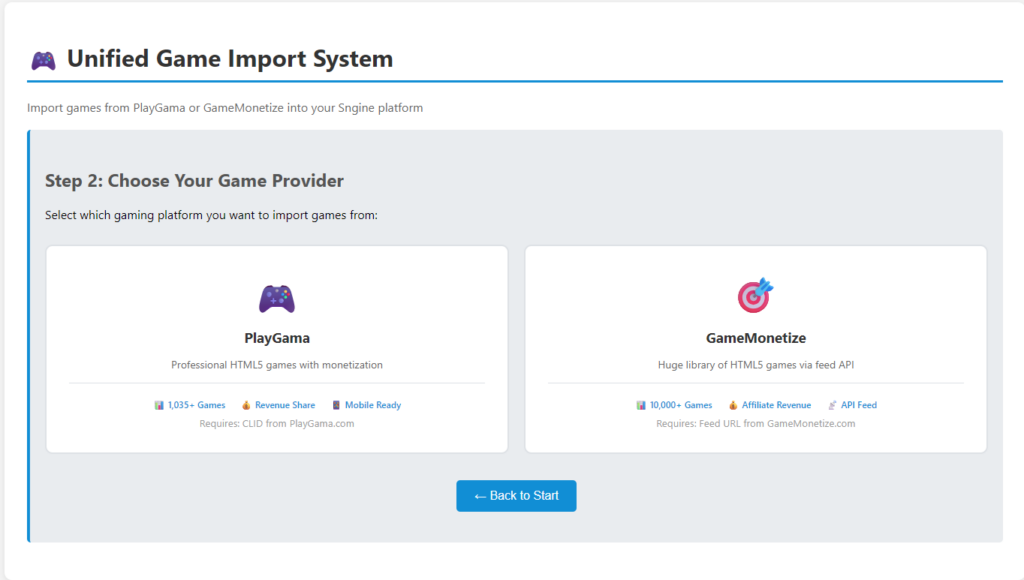
Mass Import games from Playgama and Gamemonetize.com
How It Works:
User plays the game →you earn 🤑with ingame advertise
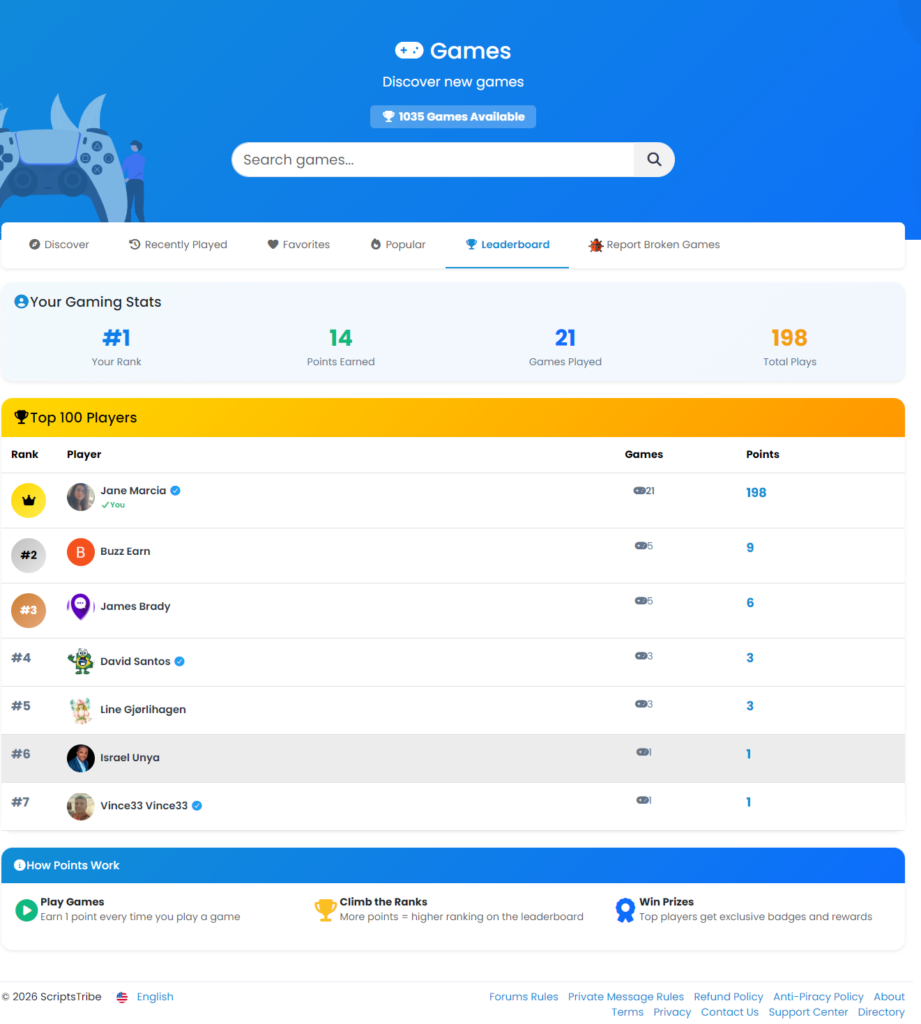
🏆 Competitive Leaderboard System
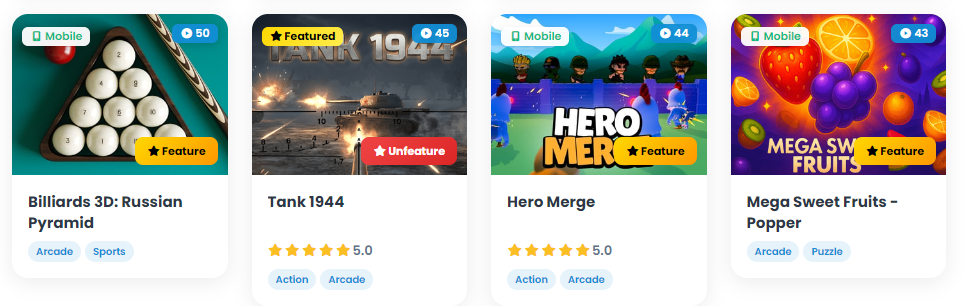
⭐ Featured Games System (Admin Only)
Complete featured games management with inline controls and stunning carousel.
🎬 Game Sliders & Discovery
🔴 Who is Playing Live Widget: Real-time activity display showing current gaming activity.
📜 Play History & Favorites Recently Played Tab
⭐ Game Rating System: Interactive 5-star rating with real-time updates.
🎲 Related Games System: Intelligent recommendations based on genre matching.
📊 Top Players Widget: Compact sidebar showing competitive rankings.
📧 Report Broken Game: Contact form for reporting game issues.
📊 User Statistics Dashboard: Comprehensive personal gaming stats.
📊 Embedable widgets.
📊 RSS FEED included
📊 Games sitemap
💰 PlayGama Integration & Monetization: Earn affiliate revenue from 1,035+ HTML5 games and gamemonentize.com
🔧 TECHNICAL SPECIFICATIONS
Sngine Platform v4.x or higher
PHP 7.4+ (compatible with PHP 8.x)
MySQL 5.7+ or MariaDB 10.3+
Bootstrap 5.x
jQuery 3.x
Modern browser with JavaScript enabled
🔒 Admin permission checks (user_group < 3)
🔒 SQL injection prevention with parameterized queries
🔒 CSRF protection via AJAX tokens
🔒 User authentication required for actions
🔒 Input validation and sanitization
🔒 XSS prevention in templates
🔒 Secure session handling
1. Server Requirements:
CPU: At least a modern multi-core processor.
RAM: Minimum 8GB of RAM (more if possible).
Disk Space: Sufficient storage for 1000+ games and their assets (e.g., 10GB or more).
Storage Type: SSD recommended for faster access.
2. Database:
Database Type: Use MySQL or MariaDB.
Optimizations: Ensure indexes on frequently queried fields (e.g., game titles).
Backup: Regular database backups.
3. PHP Configuration:
max_execution_time: Set to at least 300 seconds (5 minutes), or higher if necessary for installations.
memory_limit: Set to at least 512MB or 1GB depending on the number of games and assets being processed.
upload_max_filesize: Set to 50MB or higher, depending on the size of game files being uploaded.
post_max_size: Set to 50MB or higher, to allow larger POST requests.
Web Server Configuration:
max_connections: Set to at least 500 (or higher) to handle multiple simultaneous users during game loading.
worker_processes (for Nginx) or MaxRequestWorkers (for Apache): Set based on server resources; typically, 4–8 workers for medium traffic servers, or higher if you expect a lot of concurrent connections.
Caching:
Use Redis or Varnish for caching static content like game assets.
Enable page caching for game lists or pages that don’t require dynamic updates.
4. Network and Bandwidth:
Bandwidth: Ensure sufficient bandwidth for heavy traffic, especially if using external media assets.
CDN: Consider using a CDN for large game files.
5. Testing and Documentation:
Load Testing: Test the server with a large number of games to ensure stability.
Clear Docs: Provide users with server specs and configuration tips for smooth installation.
6. Server Restart:
If the server stops responding after installing the games, restart the server to reset connections and free up resources.
Screenshots:

Link:
https://portasale.com/items/affiliated-games-for-sngine/1066
Note:
This is a third-party plugin developed by a different team and developer. As the Sngine team always encourages developers to add more and more features to our beloved Script “Sngine,” we welcome this plugin 

